


-
VOYAGER adjustable tip spacing pipette ensures consistent pipetting between lab staff when setting up the Quidel® Solana® Group A Streptococcus assay
Rapid IVD amplification test for the qualitative detection of Group A β-hemolytic Streptococcus pyogenes nucleic acids
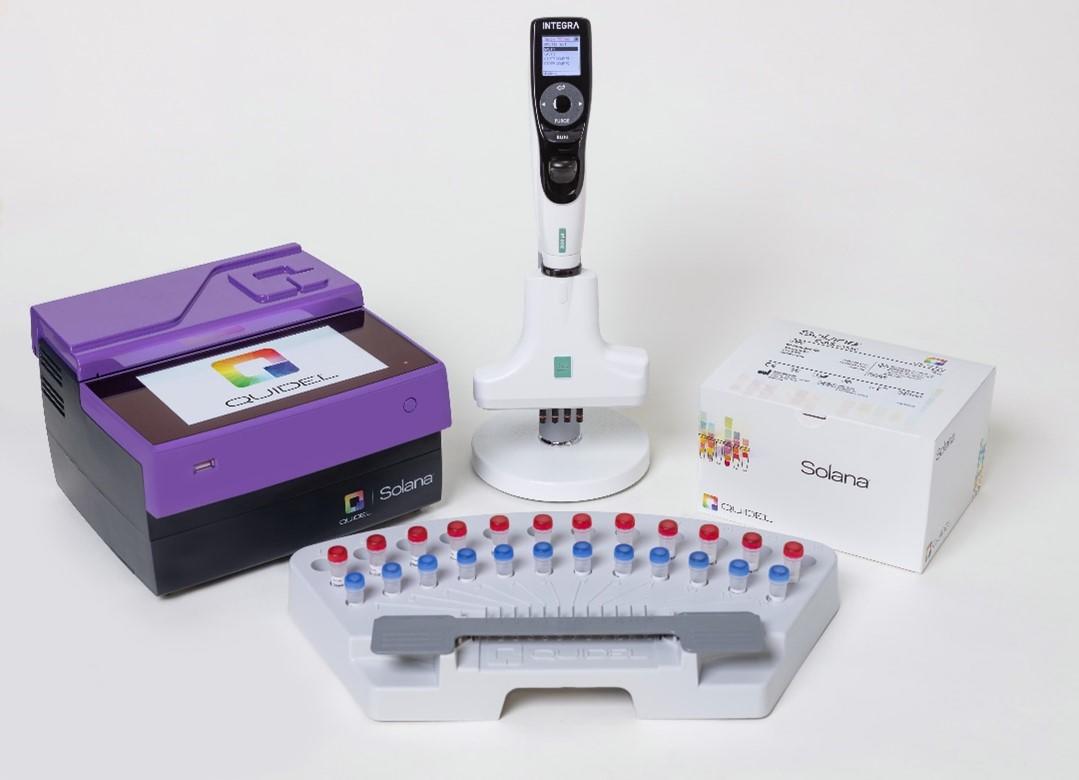
The Quidel Solana Group A Streptococcus (GAS) test is a low throughput, simplified amplification assay that detects β-hemolytic Streptococcus nucleic acids. It is easy to perform outside of core molecular diagnostics/biology laboratories by following simplified procedure on the compact Solana instrument. However, accurate pipetting is still crucial, and Quidel recommends its customers to use the VOYAGER 300 µl 4 channel adjustable tip spacing pipette when performing the Solana GAS assay. The VOYAGER pipette provides a semi-automated solution to ensure consistent pipetting steps, while reducing operator fatigue and the risk of repetitive strain injuries.
-
Table of contents
The Quidel Solana Group A Streptococcus (GAS) test is a low throughput, simplified amplification assay that detects β-hemolytic Streptococcus nucleic acids. It is easy to perform outside of core molecular diagnostics/biology laboratories by following simplified procedure on the compact Solana instrument. However, accurate pipetting is still crucial, and Quidel recommends its customers to use the VOYAGER 300 µl 4 channel adjustable tip spacing pipette when performing the Solana GAS assay. The VOYAGER pipette provides a semi-automated solution to ensure consistent pipetting steps, while reducing operator fatigue and the risk of repetitive strain injuries.
Key benefits
Overview: How to set up the Quidel Solana Group A Streptococcus assay
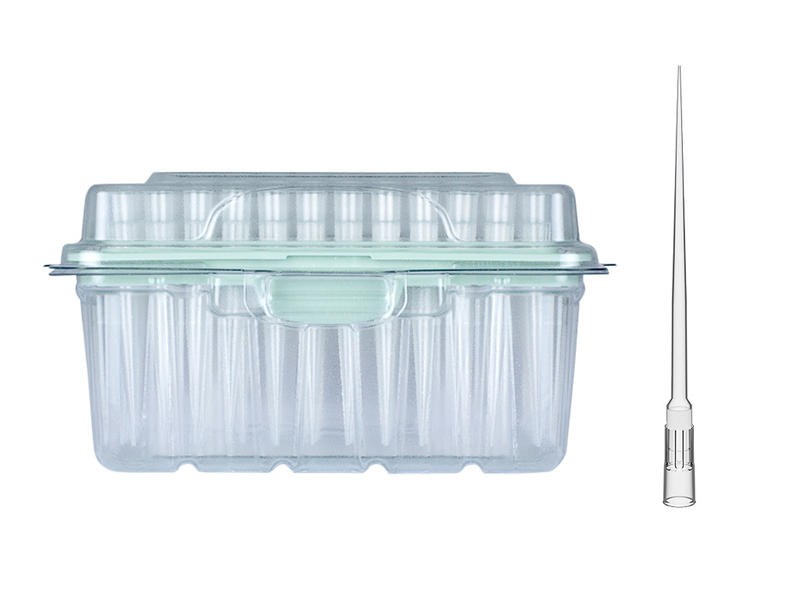
The swab samples used in the Solana GAS test can be dry or submerged in a liquid medium. The master mix reagent is added to each reaction tube in a dehydrated form, then rehydrated when the diluted sample is added. VOYAGER 4 channel, 300 µl adjustable tip spacing pipette with 300 µl LONG, Sterile, Filter GRIPTIPS® is used in this protocol. Two GAS programs are provided: GAS P1 is used for transferring samples from liquid medium to the lysis buffer, while GAS P2 transfers lysed sample to dilution tubes, then to the reaction tubes.
Downloads: App note and protocols for the Quidel® Solana® Group A Streptococcus assay with the VOYAGER pipette
Here you can download the complete protocols used in this application and use them on your VOYAGER. The protocol can be modified and transferred directly to the pipette with the VIALINK software.
Step-by-step procedure:
Overview of the steps:
- Heat lysis
- Dilution and amplification steps
1. Heat lysis
Processing swabs submitted in liquid medium
Set up the Solana workflow tray with patient samples, lysis buffer tubes, dilution buffer tubes and amplification reaction tubes (Figure 1). Uncap sample and lysis buffer tubes, placing caps face up on work area to prevent cross-contamination.
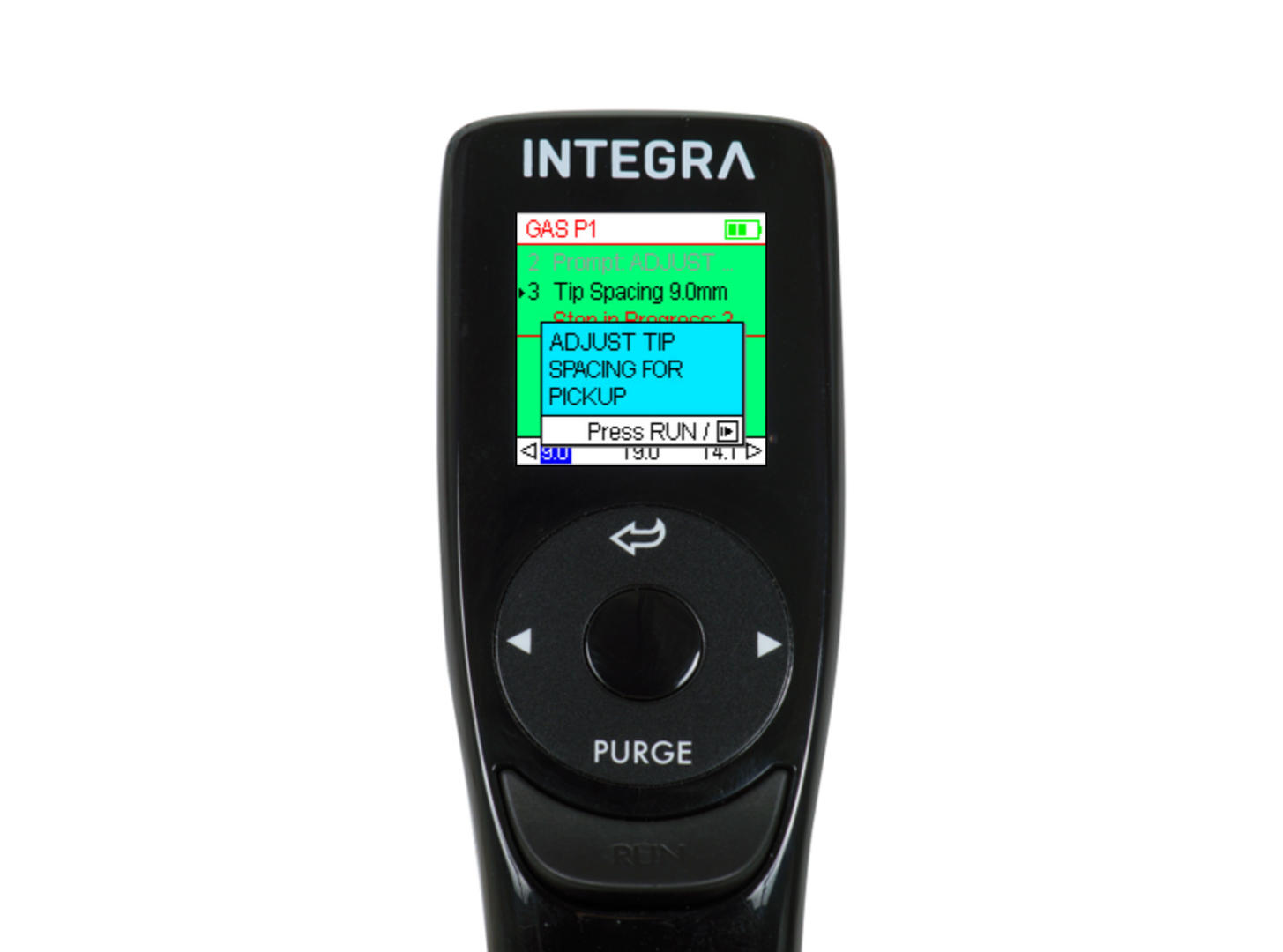
Turn on the pipette and select 'GAS P1' from the ‘Custom Programs’ in the main menu. Press RUN to start the program. Once started, the program displays step-by-step instructions on screen (Figure 2). Load the pipette tips when prompted by the program, and press RUN to execute each step. The pipette will automatically adjust the tip spacing when mixing, aspirating and dispensing 50 µl of the sample into lysis tubes. When the final step has been performed, the pipette screen will display ‘WORKFLOW COMPLETE’ and will beep twice. When you are done pipetting, heat lysis buffer tubes at 95°C for 5 minutes.
Processing dry swab samples
Set up the Solana workflow tray with patient samples, lysis buffer tubes, dilution buffer tubes and amplification reaction tubes (Figure 1). Uncap lysis buffer tubes, leaving caps face up to prevent cross-contamination. Insert each swab into the appropriately labelled lysis buffer tube, and twirl for 10 seconds. Heat lysis buffer tubes at 95°C for 5 minutes.
Tips:
- The pipette makes sure that the user knows which step is being performed by showing messages on the screen.
- The use of LONG, Sterile, Filter GRIPTIPS prevents contamination of the pipette when aspirating sample out of tall tubes.
- Once written, programs may be saved on the pipette and re-used by retrieving them from the Custom Programs menu.
2. Dilution and amplification steps
Transfer of lysed samples to dilution tubes, and diluted samples to reaction tubes
At the end of the heat step, uncap each lysis buffer tube and place it in the workflow tray (Figure 1). Remove caps from dilution buffer tubes and place them face up on the work area to prevent cross-contamination. Uncap the reaction tubes. Turn on the pipette and select program 'GAS P2' from the ‘Custom Programs’ in the main menu. As in the previous program, 'GAS P2' guides the user through each step of the process. Pressing RUN on the pipette starts the program. Following the prompts on the pipette, lysed samples are mixed and 50 µl is transferred to dilution buffer. Dilution buffer is then mixed by the pipette, and the user is prompted to transfer 50 µl to reaction tubes. A final mixing step is performed to rehydrate the master mix in the tubes. Upon completion of the program, the pipette displays a ‘WORKFLOW COMPLETE’ prompt and beeps twice. Cap the reaction tubes and load them in the Solana instrument. Results will be ready in 25 minutes.
Tips:
- Lightly touch pipette tips to the side of the tube when dispensing small volumes of liquids, to ensure release of liquid from the pipette tip.
- VOYAGER pipette tip spacing can be set to any width between 4.5 and 30.0 mm to accommodate a wide range of tube sizes.
- Custom programs can be written directly on the VOYAGER pipette, or by using INTEGRA's VIALINK pipette management software. Programs stored in VIALINK can be modified and transferred directly to the pipette. VIALINK can be downloaded for free here.
Conclusion
Ask our expert. Leave a comment!
Write us if you have any questions regarding the application note or one of our instruments.
Any questions? I'm happy to help!
Instruments and accessories
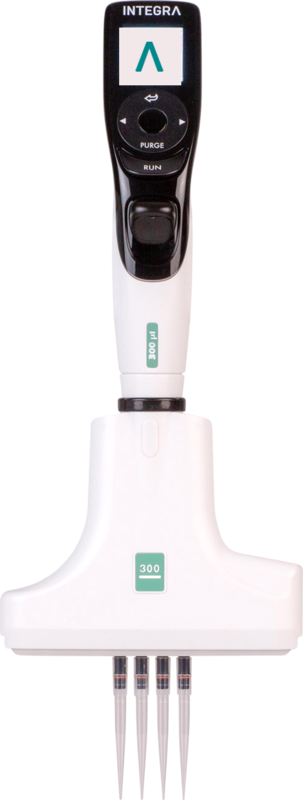
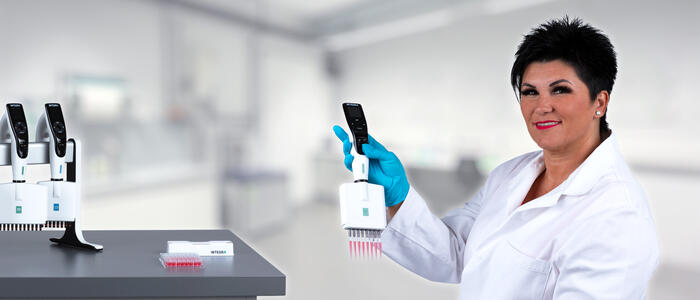
VOYAGER, 4 Channel, 300 µl, electronic pipette
VOYAGER pipettes allow the tip spacing to expand anywhere between 4.5 mm and 33 mm at the push of a button.
- Single handed operation leaves the other hand free to handle labware.
- On the fly access to up to 3 user-defined tip spacings.
- These user defined tip spacings are saved. No need to memorize spacings of different labware formats.
Part No. 4743
Customer’s voice
I love the variable spacing of the Voyager series electronic pipettes. It allows me to use the Voyager in many more applications than I could with a fixed width multichannel pipette.
Related products


Applications
Show all-
Quidel® Lyra® Direct SARS-CoV-2 automated assay set-up using the ASSIST PLUS pipetting robot
-
Automated DNA extraction protocol to effortlessly isolate gDNA from blood
-
Automating the Corning Matrigel® thin coating protocol for cell culture applications
-
Automation-enabled high throughput electroporation of primary cells using the ASSIST PLUS and DropGenie platform
Stories
Show all-
 · Company News
Streamlining CRISPR workflows, from editing to analysis
-
 · Customer Testimonial
Advancing muscle–bone research with faster, more efficient genotyping workflows
-
 · Customer Testimonial
Exploring targeted treatments for chronic pain using VOYAGER pipettes
-
 · Customer Testimonial
Enhancing the consistency of ag-tech R&D processes with the ASSIST PLUS pipetting robot